> ## Documentation Index
> Fetch the complete documentation index at: https://docs.infernobot.io/llms.txt
> Use this file to discover all available pages before exploring further.

# QuickStart

> Welcome to the INFERNO documentation

<img className="block dark:hidden" src="https://mintcdn.com/inferno/oNR1ohkt00FzfHK7/inferno-banner-main.png?fit=max&auto=format&n=oNR1ohkt00FzfHK7&q=85&s=089665ea4edbeb59374d358d9746535d" alt="Hero Light" width="1022" height="512" data-path="inferno-banner-main.png" />

<img className="hidden dark:block" src="https://mintcdn.com/inferno/oNR1ohkt00FzfHK7/inferno-banner-main.png?fit=max&auto=format&n=oNR1ohkt00FzfHK7&q=85&s=089665ea4edbeb59374d358d9746535d" alt="Hero Dark" title={true} width="1022" height="512" data-path="inferno-banner-main.png" />

# **Starting the BOT**

*EARLY ACCESS - SPOTS LIMITED! - [<u>apply here</u>](https://t.me/inferno_chatroom) must be whitelisted by an admin to use!*

Open [t.me/infernotrade\_bot](https://t.me/infernotrade_bot) and run `/start` to begin. Next, add it to a group chat with your friends to get started!

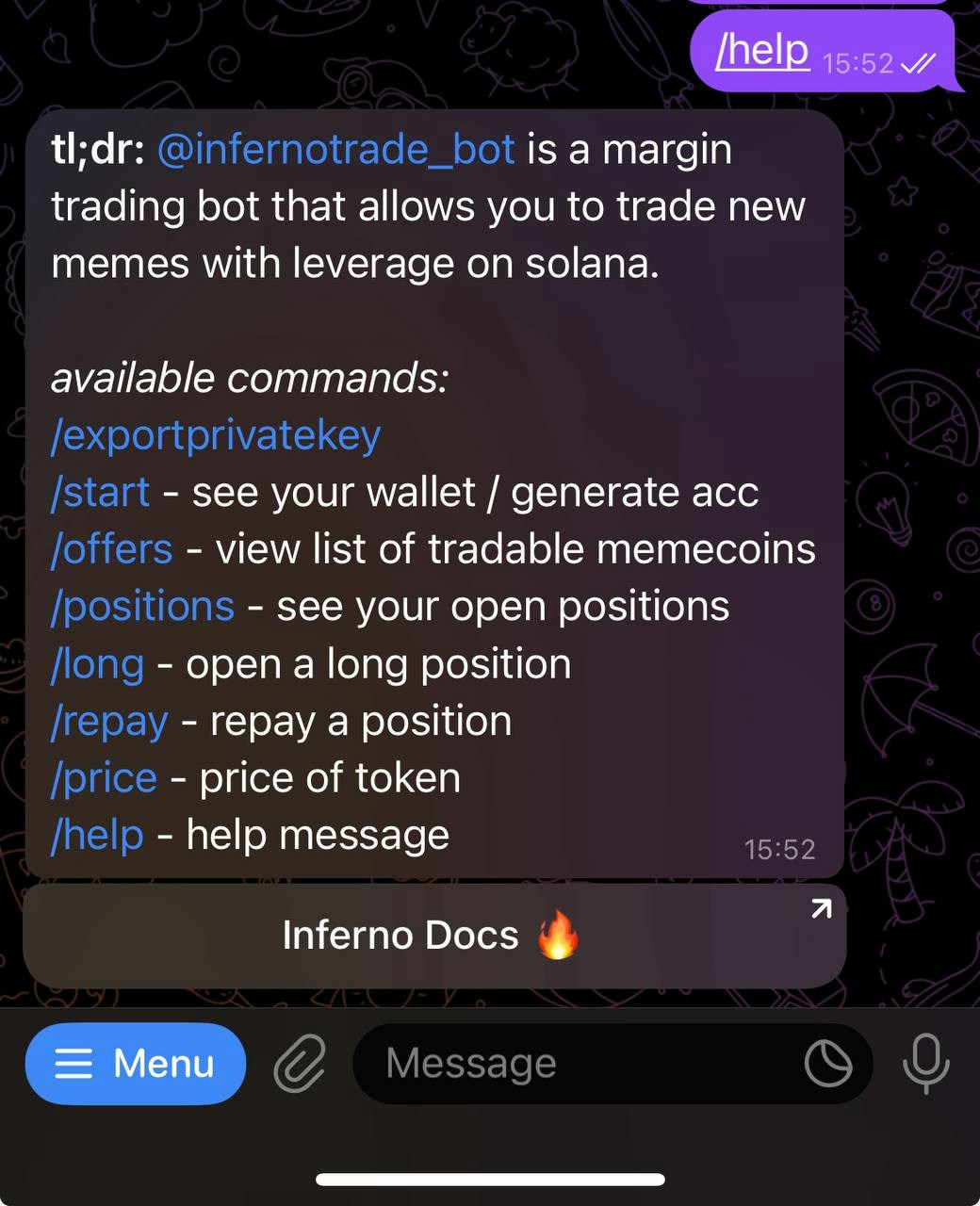
# \*\*\* All Commands \*\*\*

# Quick Start Basic Walkthrough
<img src="https://mintcdn.com/inferno/oNR1ohkt00FzfHK7/quick_start.jpg?fit=max&auto=format&n=oNR1ohkt00FzfHK7&q=85&s=6e0fa0f946df12449673304da65ba3e9" alt="quick_start Screenshot" style={{maxWidth: "400px", marginTop: "16px"}} width="1040" height="1280" data-path="quick_start.jpg" />

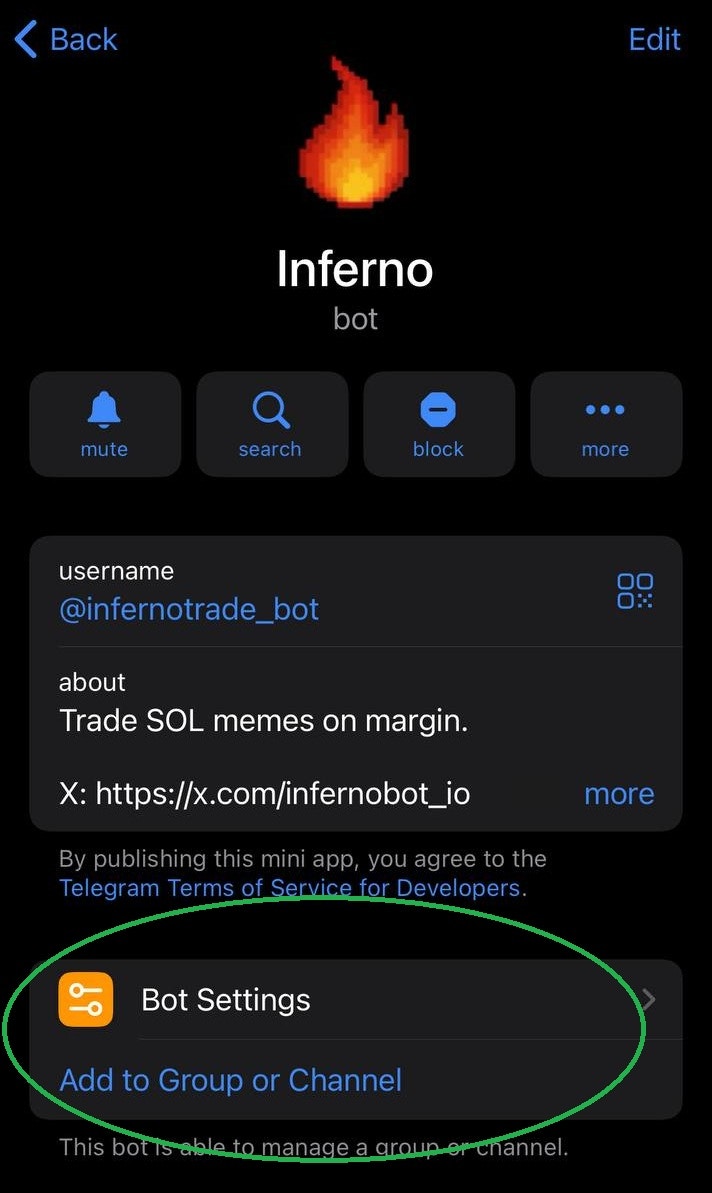
# ***Step 1.***

# add to group (optional)
<img src="https://mintcdn.com/inferno/oNR1ohkt00FzfHK7/addToGroup.jpg?fit=max&auto=format&n=oNR1ohkt00FzfHK7&q=85&s=52bca7433164f94581771db2600707c1" alt="Add to Group Screenshot" style={{maxWidth: "400px", marginTop: "16px"}} width="712" height="1193" data-path="addToGroup.jpg" />

# ***Step 2.***

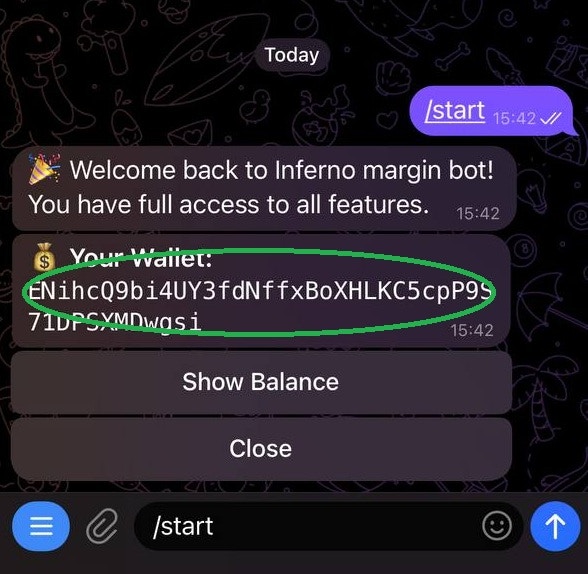
# Fund wallet

<img src="https://mintcdn.com/inferno/oNR1ohkt00FzfHK7/copy.jpg?fit=max&auto=format&n=oNR1ohkt00FzfHK7&q=85&s=e2e0bc163fa524d6c74062311c12482f" alt="Copy Screenshot" style={{maxWidth: "400px", marginTop: "16px"}} width="588" height="574" data-path="copy.jpg" />

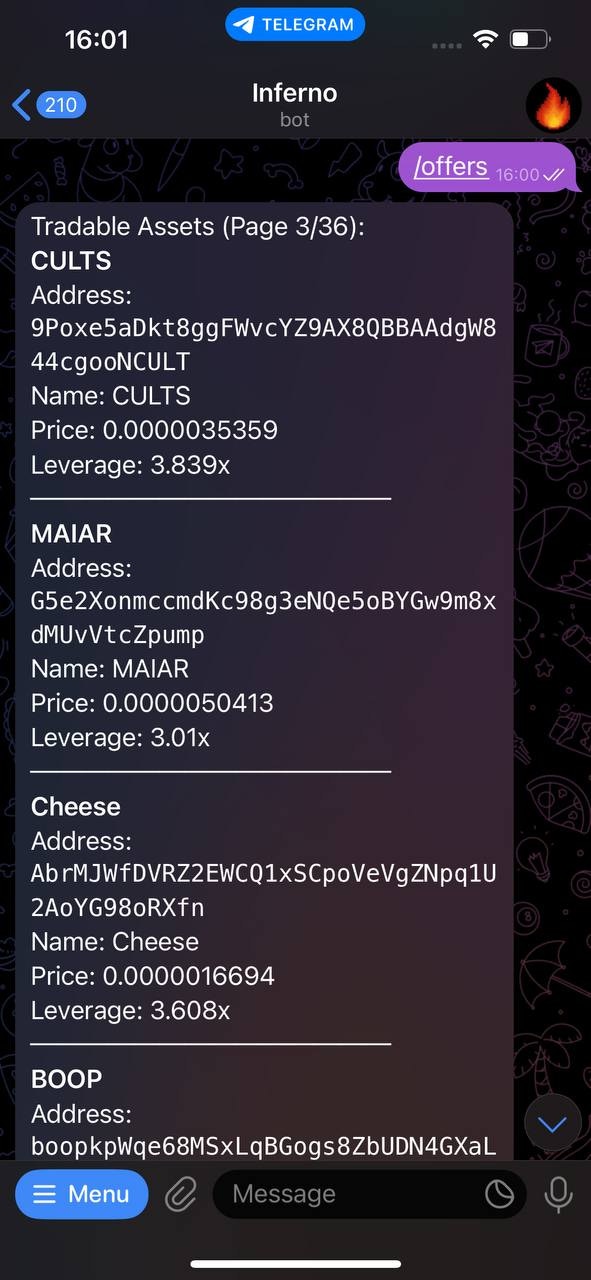
# ***Step 3.***

# Browse Token offers `updated: /tokens`
<img src="https://mintcdn.com/inferno/oNR1ohkt00FzfHK7/offers.jpg?fit=max&auto=format&n=oNR1ohkt00FzfHK7&q=85&s=985980bc8922a4587cb6f1a51b236c2f" alt="Offers Screenshot" style={{maxWidth: "400px", marginTop: "16px"}} width="591" height="1280" data-path="offers.jpg" />

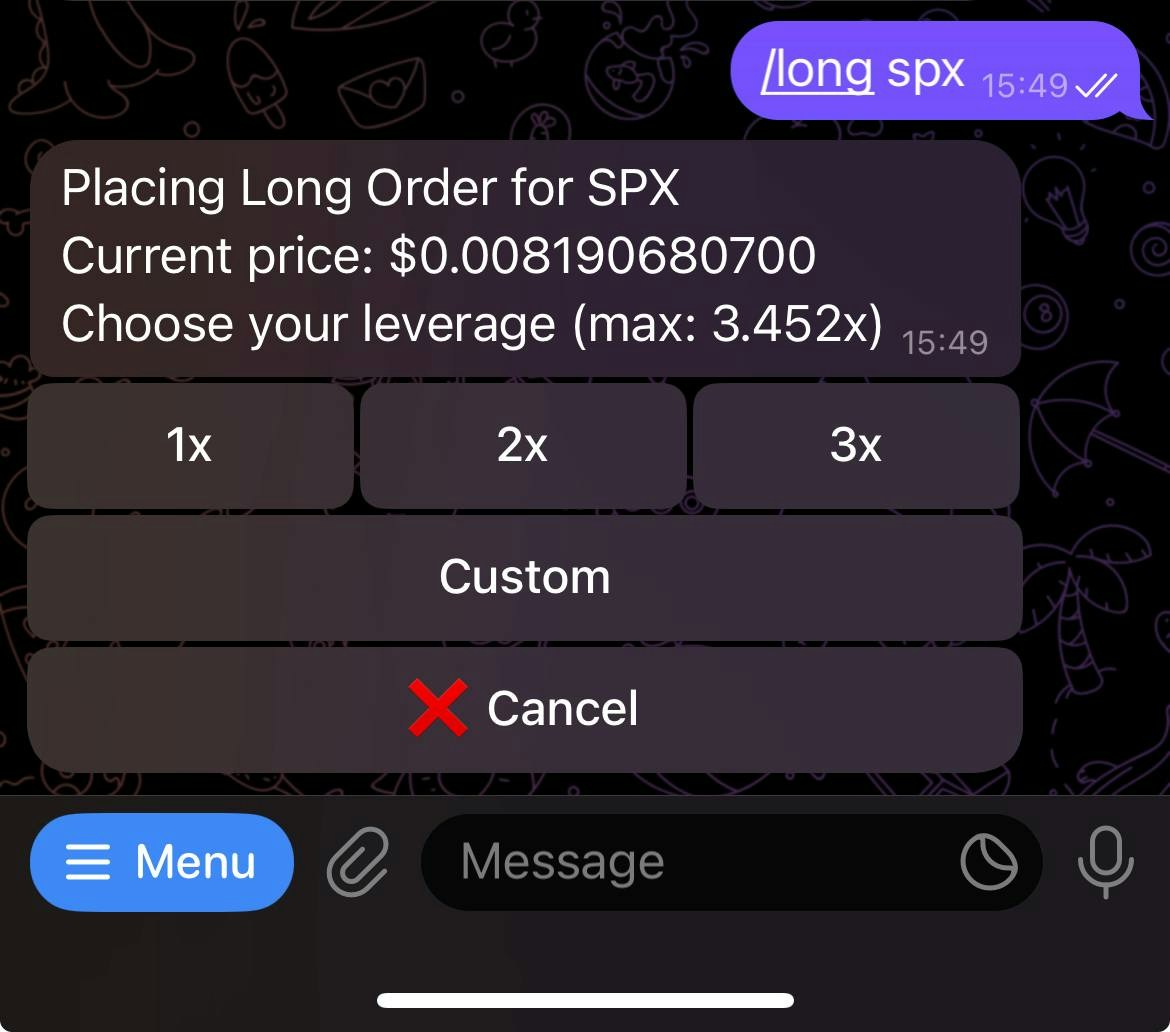
# ***Step 4.***

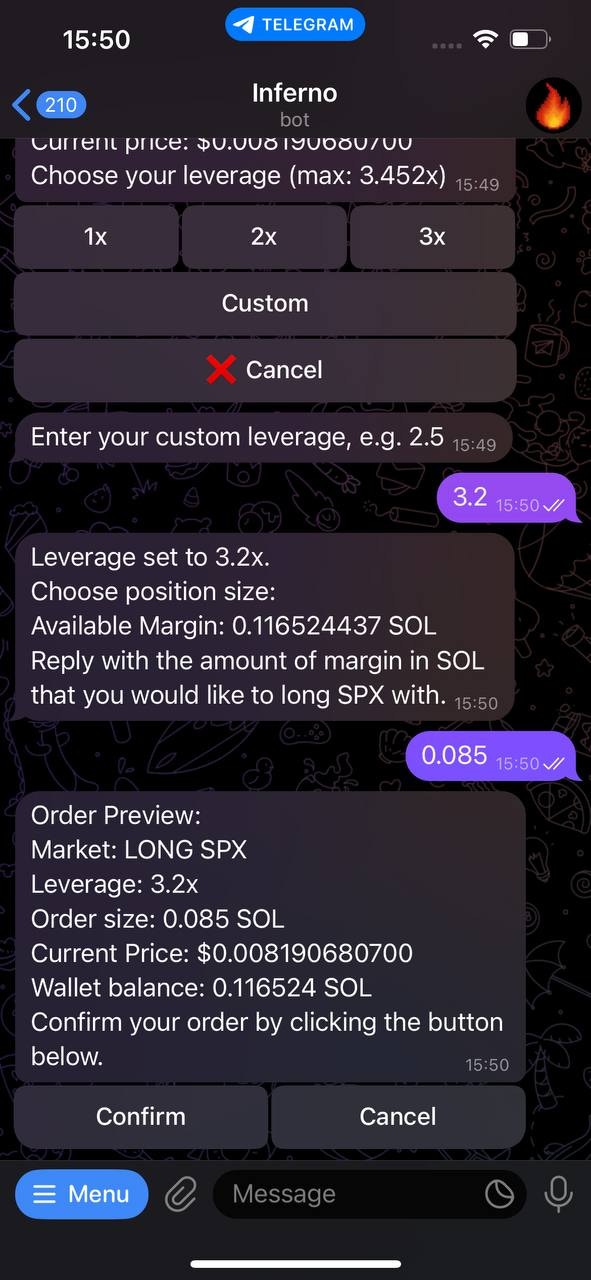
# Long Token

<img src="https://mintcdn.com/inferno/oNR1ohkt00FzfHK7/long_token.jpg?fit=max&auto=format&n=oNR1ohkt00FzfHK7&q=85&s=f0f51019ac1d9f879e26d31ef020c4f7" alt="Long Screenshot" style={{maxWidth: "400px", marginTop: "16px"}} width="1170" height="1032" data-path="long_token.jpg" />

# (choose amount)

<img src="https://mintcdn.com/inferno/oNR1ohkt00FzfHK7/long_amount.jpg?fit=max&auto=format&n=oNR1ohkt00FzfHK7&q=85&s=1d09a4f9048c58ba89e38d5910bd574c" alt="Long Screenshot" style={{maxWidth: "400px", marginTop: "16px"}} width="591" height="1280" data-path="long_amount.jpg" />

# ***Step 5.***

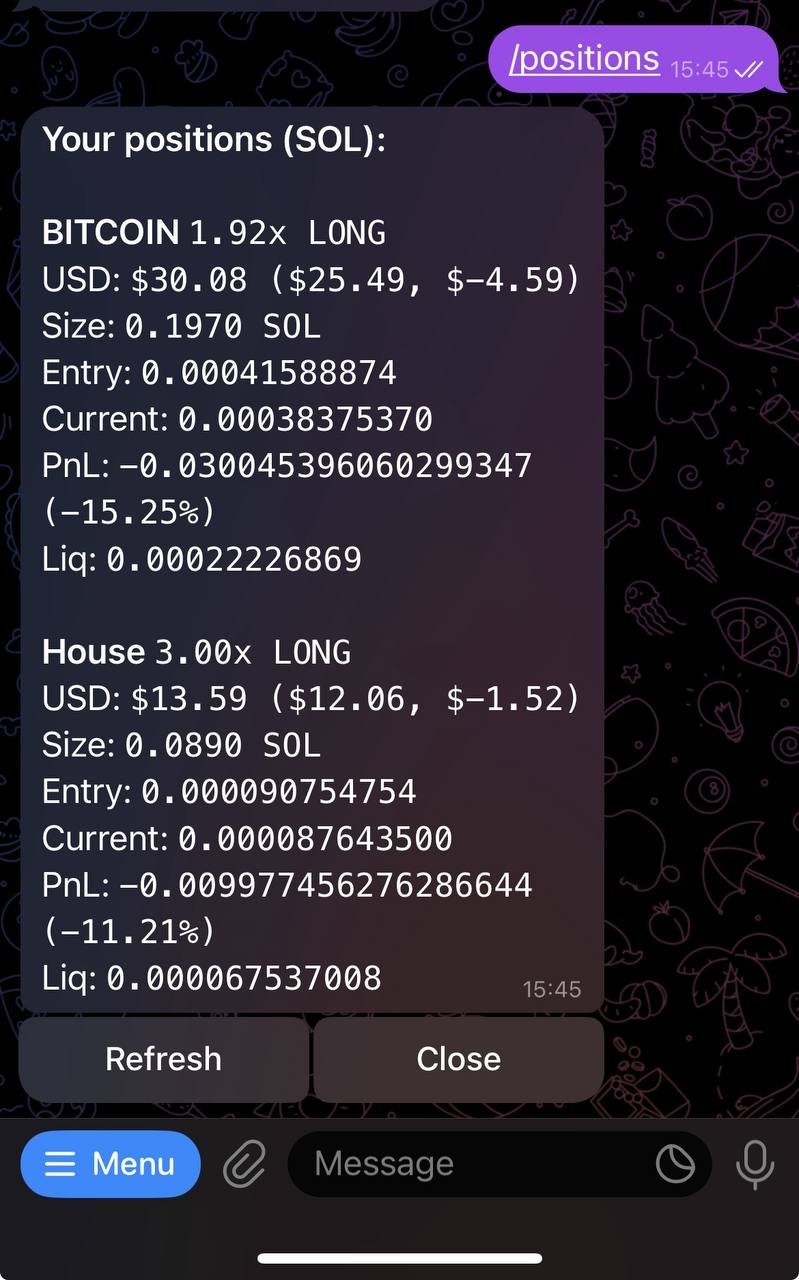
# View Positions

<img src="https://mintcdn.com/inferno/oNR1ohkt00FzfHK7/positions.jpg?fit=max&auto=format&n=oNR1ohkt00FzfHK7&q=85&s=8b3905282b6f5bdf13352d5a3741c789" alt="Pos Screenshot" style={{maxWidth: "400px", marginTop: "16px"}} width="799" height="1280" data-path="positions.jpg" />

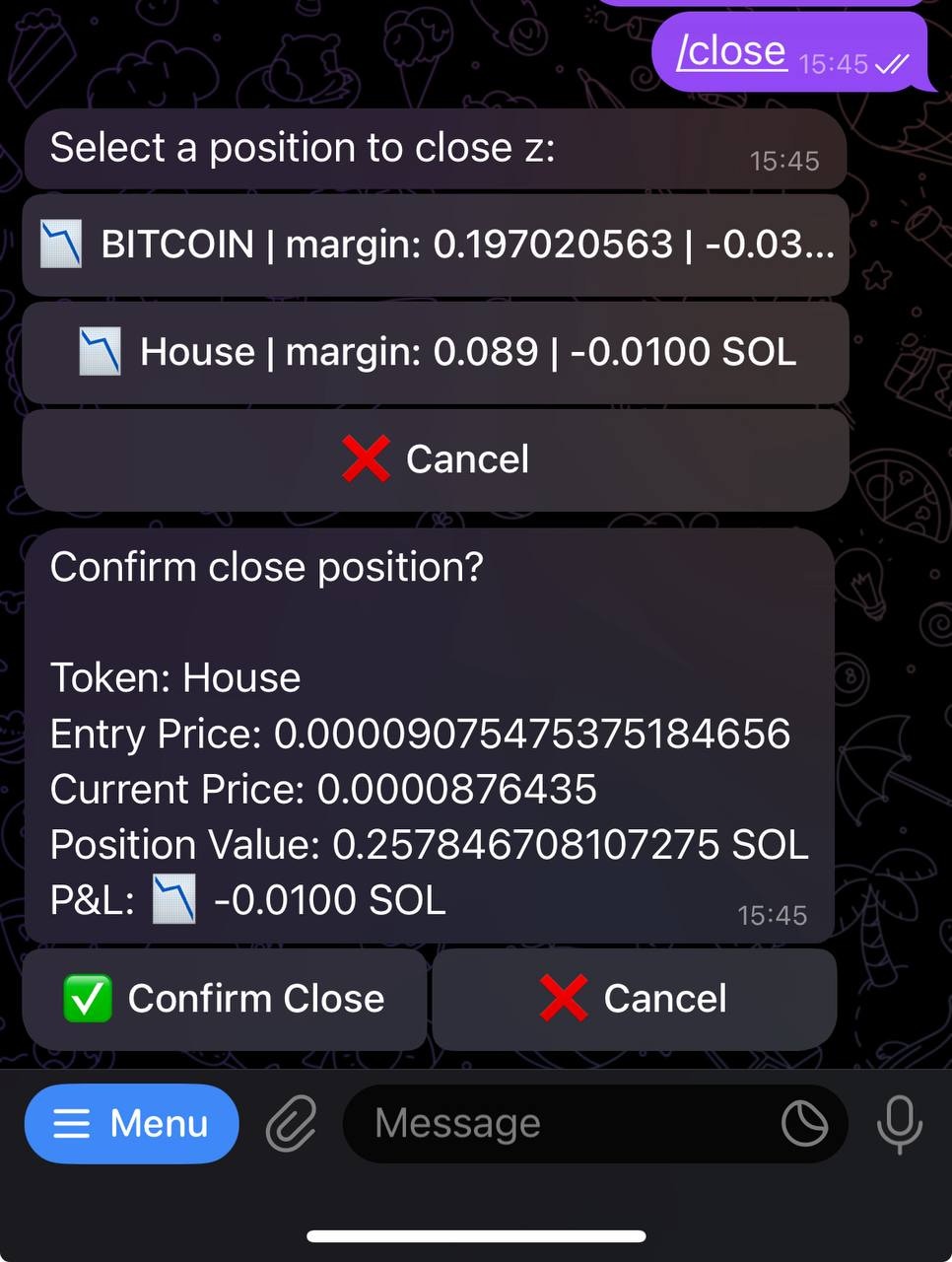
# ***Step 6.***

# Close Position

<img src="https://mintcdn.com/inferno/oNR1ohkt00FzfHK7/confirm_close.jpg?fit=max&auto=format&n=oNR1ohkt00FzfHK7&q=85&s=800b2587bb17eaffcd0fec5804c2cf9a" alt="Close Screenshot" style={{maxWidth: "400px", marginTop: "16px"}} width="966" height="1280" data-path="confirm_close.jpg" />